How to make a meme on Yarn
Find the clip that says the thing, put your own words on it, and get a link you can share. It takes about a minute, and you don't need an account.
1 · Search for the quote
Type the line you're after into the search box at the top of the page. Yarn searches the actual dialogue in millions of movie, TV, and music clips, so search for what the character says, not the title.

2 · Pick the clip you want
The results are every moment in the library where somebody says that line. Hover to preview, and click the one with the right delivery — the tabs and the filters down the side narrow things down if there are too many.

3 · Click Make Meme
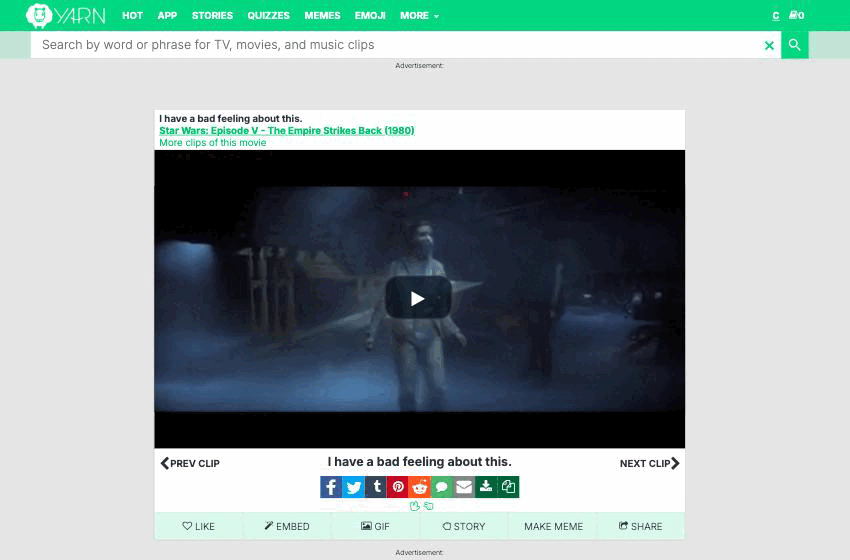
On the clip page there's a row of buttons under the video: Like, Embed, Gif, Story, Make Meme, Share. Click Make Meme.
That opens the meme editor on memes.getyarn.io, which is where all Yarn memes live. It's a different address from the main site — that's normal, not a redirect gone wrong.
4 · Add your text
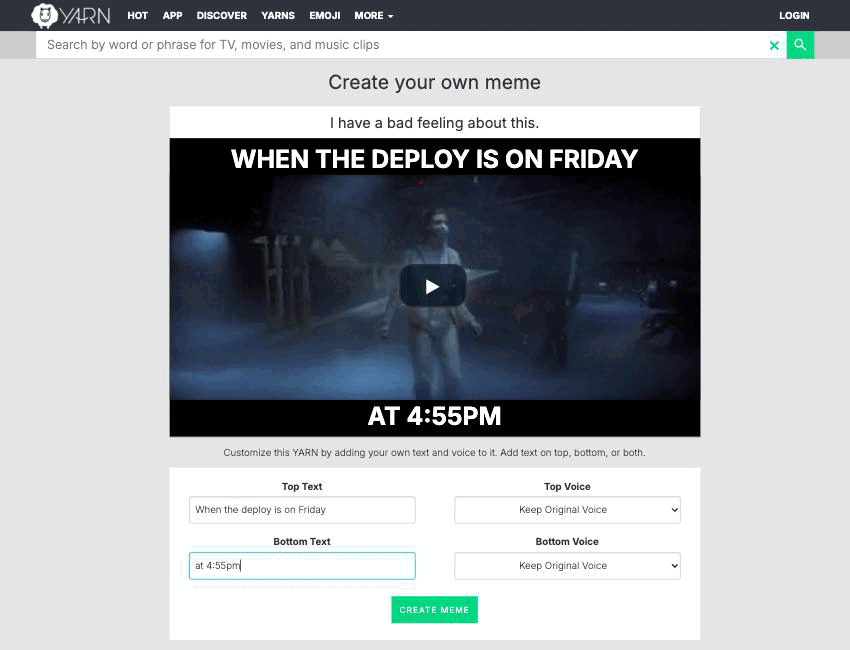
Type into Top Text, Bottom Text, or both. The preview above updates as you type, so you can see exactly where the words land. Text is always shown in capitals, and each box holds up to 200 characters.
You need at least one of the two boxes filled in — the editor won't make a meme out of nothing.
5 · Pick a voice (optional)
Leave the voice menus on Keep Original Voice and the clip keeps its original audio. Pick a voice instead and your words get read aloud in that voice over the clip. There are well over a hundred, in a couple of dozen languages.

6 · Hit Create Meme
Rendering takes a few seconds — the video is actually re-cut with your text, and the audio re-recorded if you chose a voice. When it's done you land on your meme's own page.
From there it works like any other Yarn: it has its own link, the share buttons, a Gif version, and a Yarn button that takes you back to the clip you started from.
No account needed
Anyone can make a meme. If you are signed in, the meme is filed against your account so you can find it again later.
Want a GIF instead?
Click Gif on the clip before you click Make Meme, and the editor and the finished meme both stay in GIF form.
Filling in only one box?
If you leave Top Text or Bottom Text empty, whichever voice you picked is used for the text you did write — you don't have to set the same voice twice.
Keep it short
Long lines shrink to fit and get hard to read on a phone. Two short lines beat one long one.
Nothing happened?
If creation fails, it's usually the render service having a moment. Wait a few seconds and hit Create Meme again.
All guides · Sharing clips — what to expect · Support / FAQ · About Yarn